
브릭스 테마 검색 메타태그 등록 또는 수정

검색 메타태그 등록 또는 수정
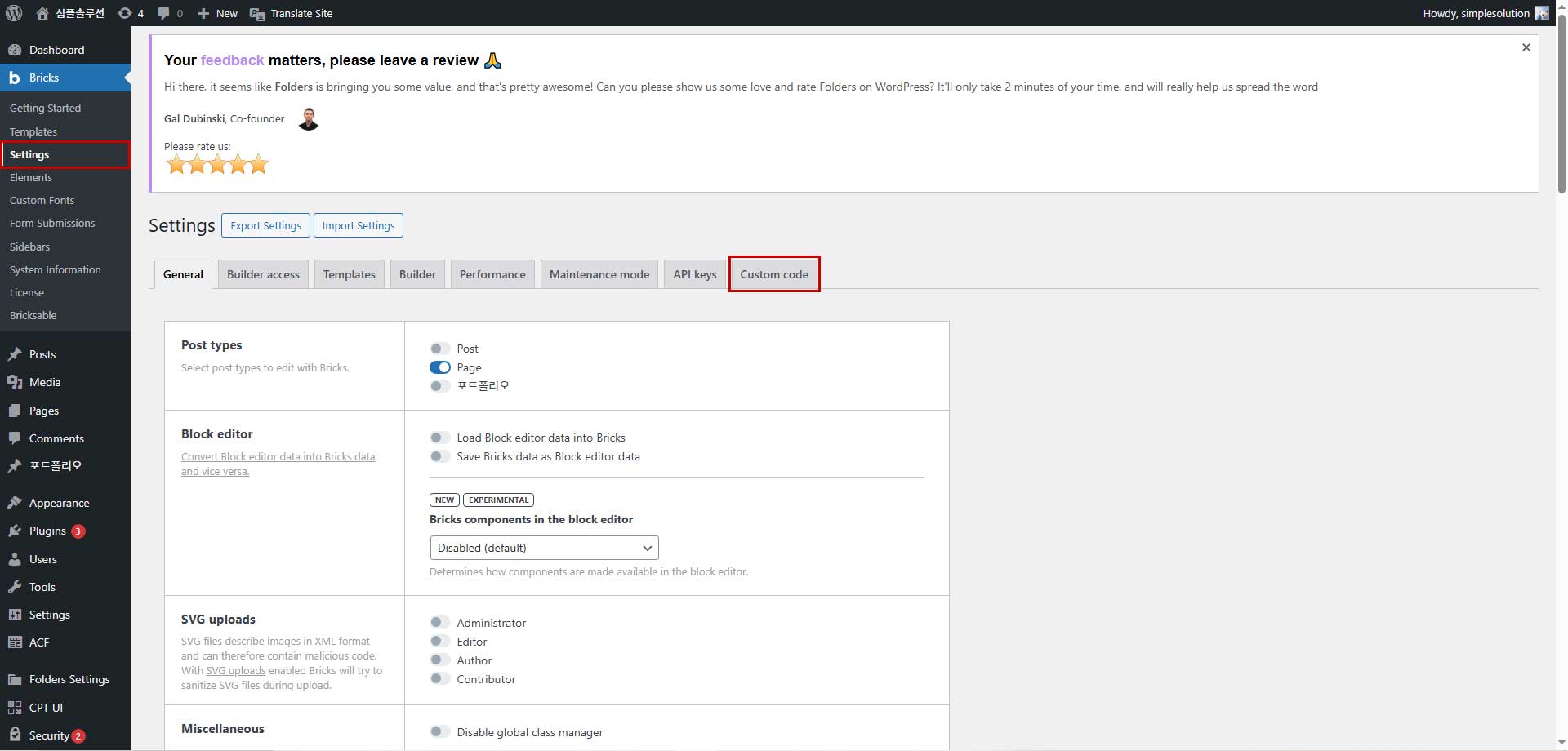
Bricks > Settings > Custom code 을클릭합니다.

스크롤을 내려 Header scripts 에서 등록 또는 수정합니다.
<title>회사명</title>
<meta name=”description” content=”사이트 설명 “>
<meta property=”og:type” content=”website”>
<meta property=”og:title” content=”사이트명”>
<meta property=”og:description” content=”사이트 설명”>
<meta property=”og:image” content=”사이트 로고 주소”>
<meta property=”og:url” content=”사이트 주소”>
<meta name=”format-detection” content=”telephone=no”>
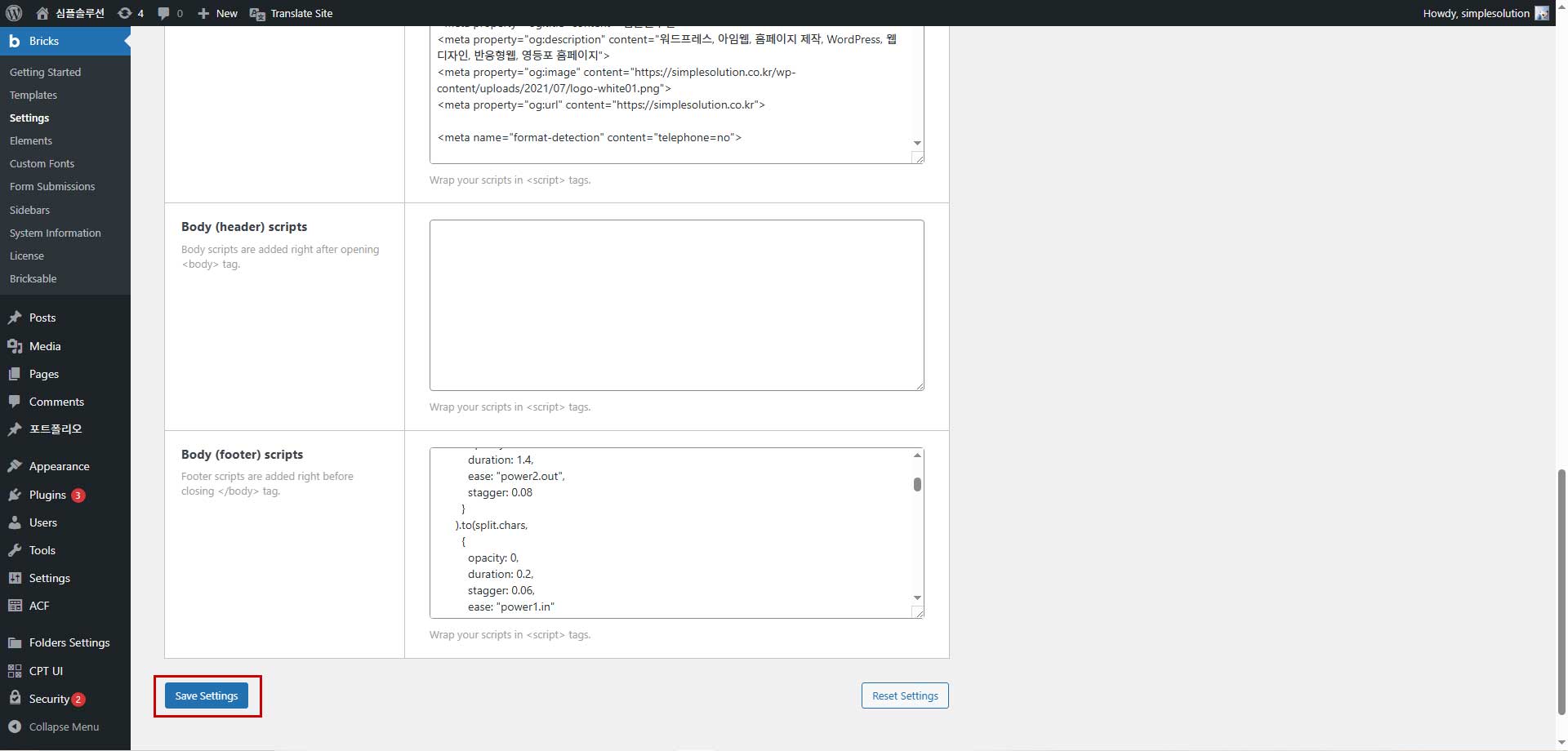
맨아래에 저장 버튼을 누릅니다.
Related Posts
팝업 등록 및 수정 방법 ( 워드프레스 )
팝업 등록 및 수정 방법입니다.
관리자 로그인 후 좌측 관리자 메뉴에서 Popup Maker > All popups > 편집
기존 등록 한 팝업에서 수정해서 등록하면 됩니다.
아임웹 사이트 개설하기 / 요금제 선택하기
안녕하세요
아임웹 회원가입 후 사이트 개설하기 방법입니다.
1) 우측 상단 로그인 버튼을 클릭해서 로그인 해주세요
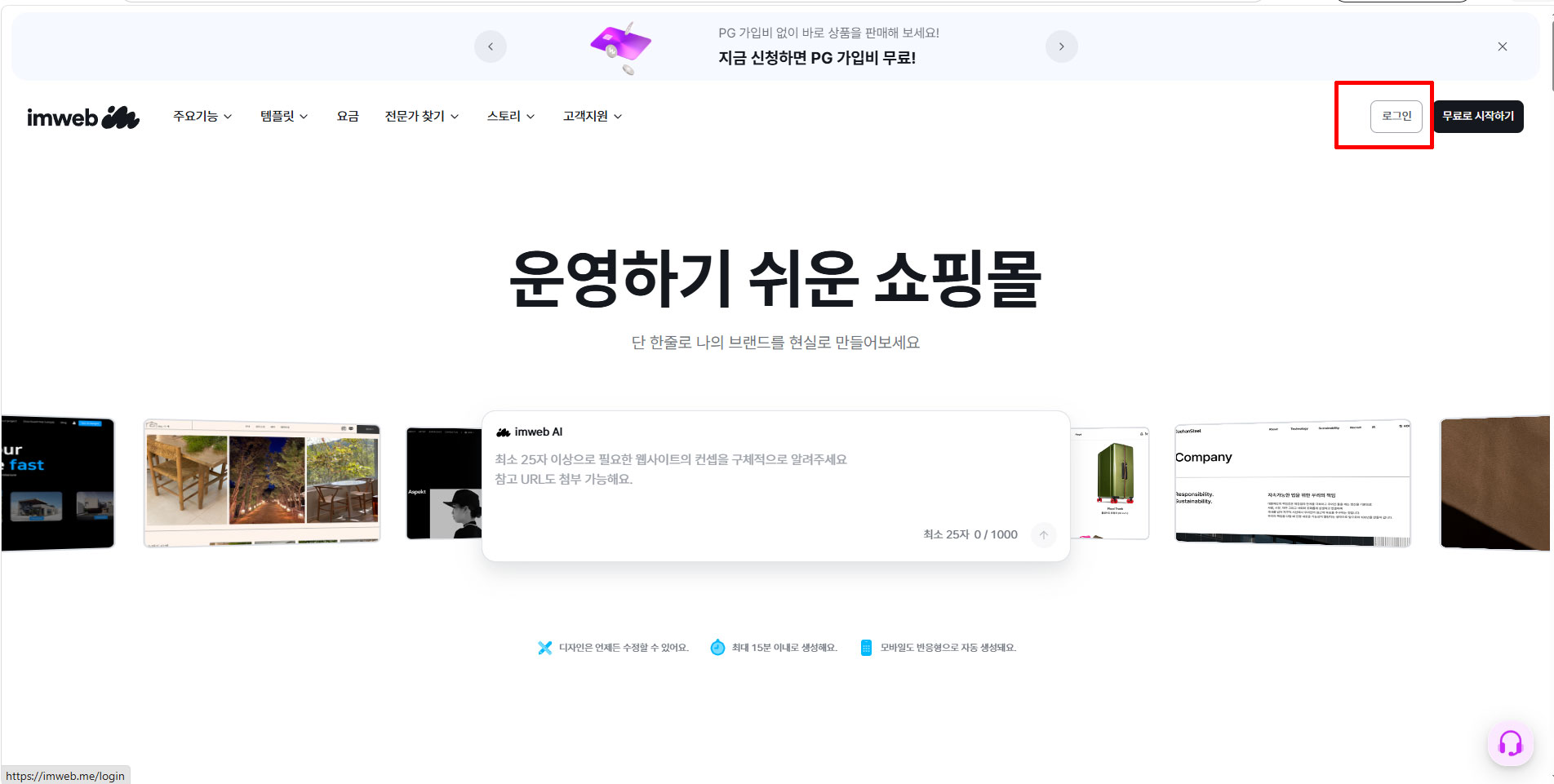
2) 로그인